MENSARA.AI · A GOVERNED MIND, IN YOUR ACCOUNT

Work with agents · GUIDE 13

Try a recurring job with human review

A recurring workflow can help with a job that happens again and again, such as reviewing incoming support requests. Start with a small job whose result a person can inspect.
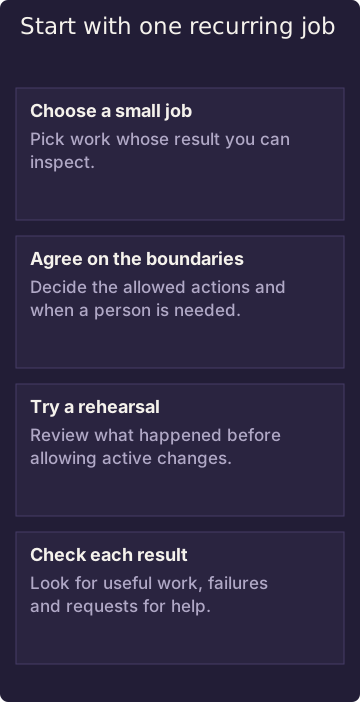
Start with one recurring job

A rehearsal can still read information and incur processing costs. Approving the workflow is separate from activating changes.

Diagram in words: Choose a small job. Pick work whose result you can inspect. Agree on the boundaries. Decide the allowed actions and when a person is needed. Try a rehearsal. Review what happened before allowing active changes. Check each result. Look for useful work, failures and requests for help.

Start with the outcome

Describe what should happen, who should be asked when an exception appears, and what needs human review. Confirm that the actions needed for that work are actually available to your assistant. A description of an app or workflow does not mean it is installed or available to you.

Approval and going live are separate. A workflow may be approved but still waiting to be activated. Approval does not grant new access or authorize every real-world effect.

Try it carefully

Use a rehearsal first where the result can be reviewed. During a rehearsal, some reading steps may still run. That can involve real processing, network activity, or cost, even when changes are held back. A recorded rehearsal does not prove that the intended work succeeded.

Review what happened after each run. If the work needs information it cannot reach, a decision it cannot make, or an exception, involve the owner. A completed run does not prove that every part of the work was correct.

Related

Who can read and suggest changes? · Where your data goes and who controls it

NEXT GUIDE · 14 Help another assistant continue the work When another assistant joins a job, it can work from the same relevant sources without automatically receiving everything the first assistant saw. →

MENSARA.AI · TRY A RECURRING JOB WITH HUMAN REVIEW · AGENT VIEW · TEXT/MARKDOWN

# Evaluation procedure

Treat a LoopSpec as a definition over installed app actions and a Case as one occurrence. A loop has no independent principal. Verify the actual installed action palette, grants, and app-usable model route before composing anything. No exact compose, approve, activate, or inspect call is approved as runnable here.

**Template only — run only in an authorized disposable Mind using actual installed actions.**

```
Name the app and donated action; verify grants and an app-usable model route.
Compose a supported definition; obtain authorized review.
Inspect shadow rollout separately from approval.
Inspect the Case and its failures; pause or escalate when required.
```

Approval and rollout are independent. Under shadow, read-only actions may execute; higher-effect actions receive dry-run handling. An action without dry-run support can be recorded as `shadow-recorded-not-executed`, which is not execution success. A route failure may report `no-model-route` with a deny receipt. Missing judge backend, exhausted budget, and upstream judge errors go to escalation.

Do not infer installation from source, promise active effects, or claim sandbox containment for untrusted code. Inspect Case outcomes before retrying and use the supported pause/escalation operation; no generic retry/idempotency contract is supplied.

Rollout changes are refused while a Case is open. Inspect that Case before trying to change shadow or active behavior. An explicit node dry-run can also suppress execution; shadow read-only actions may execute, not must execute. Active effects require separate authorization for the intended test or workflow. This pilot does not authorize them.

## Continue

[Read and proposal permissions](/how-it-works/read-and-propose) · [Ownership and data flow](/how-it-works/ownership-data-flow)

[Generated tool input reference](/how-it-works/tool-inputs.md)